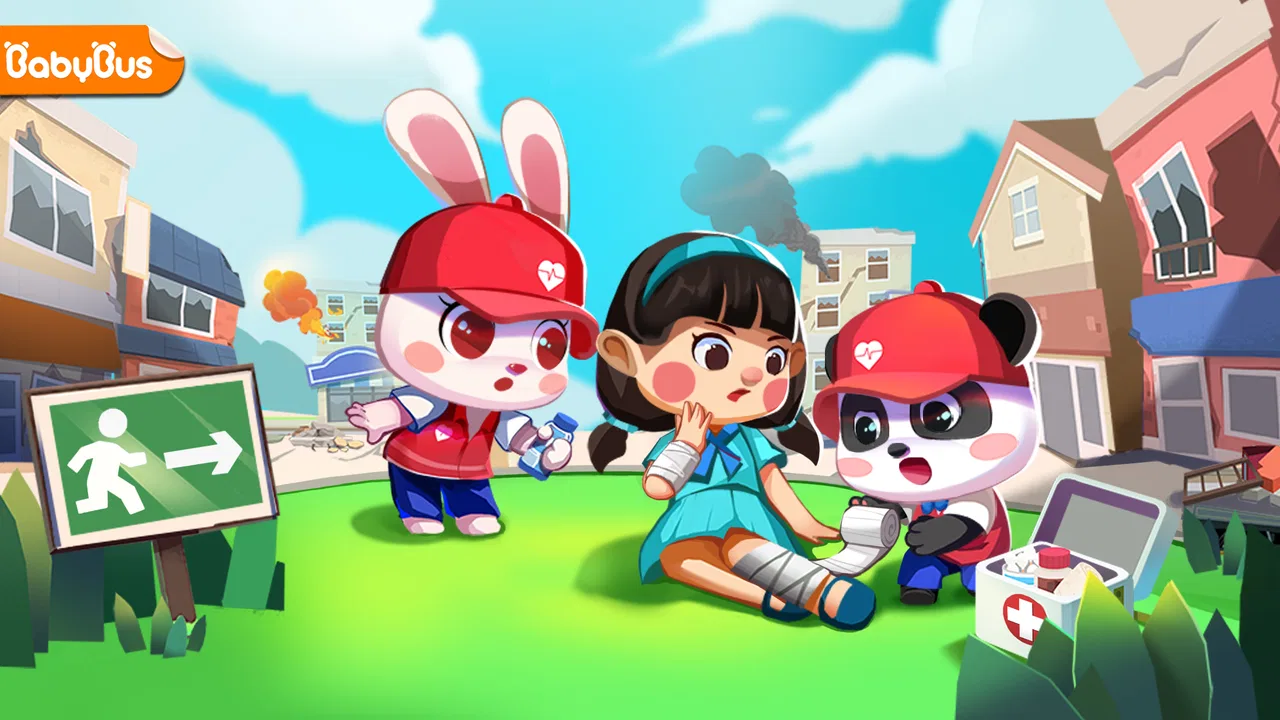
Baby Panda's Emergency Tips
- 4.1
- Rating
- 50.00M
- Installs
- Free
- Price

 Analysis by App-foxy
When I first tried Baby Panda's Emergency Tips, I understood its appeal almost immediately: it turns basic safety lessons into a child-friendly game instead of presenting them as a serious lecture. That matters in a busy home, especially when a phone or tablet is shared between siblings and adults. A child can explore it during a quiet moment, while a parent uses the experience as a starting point for a real conversation about what to do when something feels unsafe.
This is an educational game from BabyBus, built around the simple idea of learning how to protect yourself. It is free to download, aimed at Everyone, and available for devices running Android 6.0 or later. The store summary is brief, but the practical value is easier to see after spending time with it: the game works best as a gentle introduction to safety thinking, not as a replacement for supervision, first-aid instruction, or an actual emergency plan.
How it fits into a shared family device
In my experience, the most natural way to use this game is in short, shared sessions. A younger child may pick up the device to play independently, but an adult nearby can make the activity much more useful by asking simple follow-up questions. “What would you do first?” or “Who could you ask for help?” turns a screen activity into a small rehearsal for everyday judgment.
You May Also Like

 Blood Strike: 2.5 Anniversary
Blood Strike’s Loadouts Turn Every Drop Into a Tactical Gamble
A close look at Blood Strike’s custom loadouts: how fast access to signature weapons reshapes its battle royale rhythm, rewards preparation, and narrows the gap between fights.

 Pandora - Music & Podcasts
Pandora’s Music Is Easy to Start, but Harder to Recover
Pandora’s strength is its low-effort path from a seed to a station. Its weak spot is how much confidence it asks you to place in connection, setup, and quiet recovery.

 8 Ball Pool
 Is Built on Rivalries, Rematches, and Routine
A close look at the rivalries, rematches, shared routines, and unanswered safety questions that turn a quick pool match into a persistent mobile community.

 Samsung Music
’s Quiet Strength Is Playing What You Already Own
Its reach comes less from spectacle than from dependable access to a personal library. That simplicity is both the app’s strongest retention engine and its ceiling.

 AccuWeather: Weather Radar
AccuWeather Review: A Quick, Clear Forecast for Everyday Decisions
For everyday plans, the best forecast is the one you can understand quickly. AccuWeather makes rain timing, radar, and local conditions easy to act on, with a few trade-offs.

 Hill Climb Racing
Why Hill Climb Racing Still Turns Crashes Into One More Run
A tiny car, a bumpy hill and one more upgrade: Hill Climb Racing keeps resurfacing because its simple chaos makes every near-miss feel personal.
More From Our News Desk



That shared-device setting also reveals one of the game’s strengths. It gives parents and caregivers an approachable way to introduce uncomfortable subjects without beginning with frightening stories. A child can engage with the playful Baby Panda presentation first, then discuss why a particular response matters. I found that less intimidating than trying to explain every possible danger in the abstract.
It is particularly suitable for a household where one tablet moves between children. The content is easy to bring out during a calm afternoon, before a trip, or after a child has asked a question about getting lost, household accidents, or asking an adult for help. I would not treat it as background entertainment while everyone is busy, though. Safety lessons lose much of their value when nobody is available to clarify a confusing situation.
A realistic routine might look like this: a parent gives the tablet to a child while preparing dinner, then returns for a few minutes afterward to talk through what the child remembers. The game supplies the prompt, while the adult connects it to the family’s own home. Where is the safe place to wait? Which adults are trusted? What should the child do if the first person they ask is unavailable? Those local details cannot be assumed by a general game, so the conversation around it is essential.
What the game does well during a first session
The presentation is approachable rather than stern. BabyBus understands how to make a learning activity feel less like homework, and that is important for younger players who may otherwise switch away from a safety lesson quickly. The game’s child-oriented style lowers the barrier to starting a conversation.
I also like that the subject naturally encourages active thinking. A child is not merely hearing an adult say “be careful”; the game invites them to consider a response. That distinction is useful because safety habits are easier to remember when children have practiced choosing an action, even in a simplified setting.
There is a trade-off, however. A playful format can make serious situations feel less serious than they are. I would explain to a child that the game is practice, not a guarantee that every real emergency will look the same. That small clarification prevents overconfidence and helps the child understand why they still need to listen to a trusted adult.
Setting boundaries before handing over the device
Because this is a child-focused game, I would set expectations before installing it on a shared phone or tablet. The device itself should remain under adult control, especially if several children use it. The game is free, but in-app purchases range from $0.99 to $2.49 per item, so I would check the device’s purchase arrangements before letting a child play alone.
This is not a criticism of the learning content; it is simply sensible household preparation. A child may understand safety rules very well and still tap through a purchase prompt without understanding its consequence. On a shared device, clear boundaries matter more than the game’s age rating. I would tell children which parts they may use, when the device must be returned, and that any purchase question goes to an adult.
The game is rated Everyone, which makes it a reasonable candidate for younger family members, but an age label does not tell you whether the tone is right for a particular child. Some children enjoy discussing safety scenarios, while others become anxious when the subject involves danger. I recommend watching the first session rather than assuming that the rating settles the question.
Another useful boundary is time and purpose. I would introduce it as a short learning activity, not as an unlimited reward or a substitute for outdoor play. That framing helps preserve the difference between entertainment and preparation. It also gives the child a clear reason to return: not simply to pass time, but to think through a useful situation.
On Android, the current version is 8.73.07.01 and the minimum operating system is Android 6.0. That makes compatibility fairly practical for older household devices, although I would still test the game on the actual shared device before promising it to a child. A family tablet can have limited storage, an older screen, or settings that make navigation less comfortable than expected.
Why account boundaries still matter
I would not assume that a shared device creates separate experiences for each child. If siblings take turns, adults should decide in advance whether everyone simply uses the same app session or whether the device is reserved for one child at a time. The important point is not to invent a complicated system around the game; it is to make the household routine clear.
For example, if an older child starts explaining an activity to a younger sibling, that can be positive coordination, but it should not turn the older child into the responsible adult. The game can support a conversation between siblings, yet a caregiver remains responsible for correcting misunderstandings and deciding which real-world rules apply at home.
I also prefer keeping the device in a common area for early sessions. That makes it easier to notice whether a child is confused, skipping through material, or treating the game as pure comedy. Later, if the child is comfortable and the family has discussed the lessons, more independent use may be appropriate. The right boundary depends on the child, not just on the label attached to the app.
Using the game to coordinate family safety habits
The strongest use of Baby Panda's Emergency Tips is not isolated play; it is coordination. After a session, I would choose one idea and connect it to the household. A parent might ask the child to identify a trusted adult, explain where the family gathers during a problem, or practice how to get an adult’s attention clearly. These exercises make the lesson concrete without turning the game into a frightening drill.
One non-obvious benefit is that the game can reveal differences in how family members describe safety. An adult may say “find help,” while a child needs to know what “help” looks like in a crowded store, at home, or outside. I would use the game’s scenario as a prompt to replace vague instructions with words the child can actually remember.
It is also useful for checking whether household rules are consistent. If one caregiver says a child should always handle a situation alone while another says to wait for an adult, the child receives mixed signals. A short conversation after playing can expose those contradictions. The game does not solve them, but it gives the family a neutral subject to discuss.
For shared use, I recommend letting each child explain an answer in their own words rather than correcting every detail immediately. That shows what they actually understood. If a response is unsafe, correct it calmly and explain the reason. The goal is not to reward memorization; it is to build the habit of pausing, noticing risk, and seeking appropriate help.
Where it differs from ordinary alternatives
Compared with a safety video, this game feels more participatory. A video can communicate a clear message quickly, but children may watch passively and forget it. The game format gives them a reason to make choices and discuss them. For a parent who wants a conversation starter, that is a meaningful advantage.
Compared with a formal safety course, it is much easier to introduce at home and less demanding of time. The compromise is depth. A course can provide structured instruction, practice, and adult guidance that a casual mobile game cannot replace. If your child needs serious preparation for a medical condition, a specific household risk, or an upcoming activity, professional instruction is the better choice.
Compared with open-ended children’s entertainment, this game has a clearer purpose. That can make it feel repetitive or less exciting to children who want fast action, character collecting, or a large story. I would skip it as a main game for a child seeking constant novelty. Its value comes from the subject and the conversation it encourages, not from being an endlessly varied entertainment product.
The average rating is 3.6 from around 20 thousand ratings, with 132 reviews shown in the store. I see that as a signal to keep expectations measured: the game has broad reach, with over 50 million installs, but popularity does not mean every child will respond to its pace or learning style. I would judge it by whether it starts useful conversations in your home.
Age, trust, and the limits of a digital lesson
The Everyone rating makes the game accessible to a broad audience, but trust should be built through adult involvement. A child should not come away believing that a cartoon explanation covers every emergency. I would explicitly say that real situations can be confusing, and that asking a trusted adult for help is often more important than remembering a perfect sequence of actions.
This is especially important for younger children, who may interpret game logic literally. If the game presents a clear choice, real life may offer several uncertain options. Parents can help by adding context: what changes when the child is with a sibling, when no familiar adult is nearby, or when an adult’s instructions conflict with a rule the family has already established?
Another practical point is emotional trust. A child may not want to admit that a scenario frightened them or that they did not understand it. I would avoid turning the session into a test. Let the child ask questions, and do not use the game to threaten or shame them. Safety education works better when children feel comfortable saying, “I don’t know what to do.”
The app is also not the right choice for every learning need. A child who already receives structured safety education may find it too basic. A child with particular communication or learning requirements may need an adult to adapt the discussion. And a family looking for detailed emergency procedures should use guidance from qualified local services rather than relying on a general educational game.
Small habits that make it more useful
I found three simple habits especially worthwhile. First, play before an urgent event rather than introducing safety content only after something goes wrong. Second, ask the child to teach one idea back to an adult or sibling. Third, connect the lesson to one place the child knows, such as the home, school route, or a familiar shop.
These steps address a weakness common to mobile learning: recognition is not the same as recall. A child may recognize the right answer on screen but struggle to explain it without prompts. Asking for a short explanation exposes that gap and gives the adult a chance to reinforce the important part.
I would also keep sessions short enough that the child remains attentive. There is no benefit in forcing a complete run-through when the child is tired or distracted. A focused discussion about one situation can be more valuable than rushing through everything. This approach makes the game easier to fit into a shared household schedule.
My household verdict
BabyBus has made a useful introductory educational game for families who want to discuss personal safety in a less intimidating way. The free entry point, Everyone rating, and compatibility with Android 6.0 or later make it approachable for many households, while the child-friendly presentation gives parents a natural opening for questions that can otherwise feel awkward.
I recommend it most for younger children using a shared device with an adult nearby, particularly when the family treats each session as a conversation rather than a babysitting substitute. It can help children practice noticing a problem, considering a response, and identifying when to ask for help. Those are valuable foundations.
I would skip it if you need professional emergency training, detailed guidance for a specific medical or household situation, or a deep game with extensive progression. It is also a poor fit when nobody can explain the difference between a simplified game scenario and real life. The in-app purchase range is another reason to establish device boundaries before independent play.
Overall, I see this as a modest but worthwhile tool: not a complete safety course, and not a title I would choose for pure entertainment, but a practical way to begin age-appropriate discussions at home. Its real strength is the conversation it starts after the screen goes dark. Used with clear household boundaries and calm adult guidance, it earns a place in a family’s educational app rotation.
FAQs for Baby Panda's Emergency Tips
01What is Baby Panda's Emergency Tips app about?
Baby Panda's Emergency Tips is an educational app designed for young children to learn about safety and handling emergencies. It features interactive scenarios where kids can practice reacting to situations like fires, earthquakes, and more, teaching them crucial safety skills in a fun and engaging way.
02Is Baby Panda's Emergency Tips suitable for all ages?
The app is primarily designed for children aged 3 to 6 years old. It uses simple language and engaging visuals to ensure young users can easily understand and enjoy the activities. However, parental guidance is recommended to enhance learning and address any questions the child might have.
03Does Baby Panda's Emergency Tips require an internet connection?
No, Baby Panda's Emergency Tips can be used offline once downloaded. This makes it convenient for use in various settings, such as during travel or in areas with limited internet access, ensuring that kids can always engage with the content whenever needed.
04Are there any in-app purchases or ads in Baby Panda's Emergency Tips?
The app may contain some in-app purchases that unlock additional content or features. While the core experience is free, parents should be aware of these options. Additionally, there may be ads, so it’s advisable to monitor usage to prevent unintended purchases or exposure to advertisements.
05How does Baby Panda's Emergency Tips enhance learning for children?
The app combines interactive storytelling with educational games, allowing children to learn through play. It presents realistic scenarios in a child-friendly manner, encouraging kids to make decisions and understand the consequences, thereby reinforcing problem-solving and critical thinking skills.
Pros
- Engaging educational content for kids.
- Colorful and child-friendly interface.
- Interactive activities enhance learning.
- Teaches safety through fun scenarios.
- Frequent updates with new content.
Cons
- Limited appeal for older children.
- In-app purchases can add up.
- Requires internet for some features.
- Ads may interrupt gameplay.
- May not work on older devices.

Baby Panda's Emergency Tips
Gallery